Overview
Teams comparing Zendesk, Freshdesk, and Help Scout usually want clear ownership on every customer issue and a path from support signal to product work. That is feedback ticket management, not a roadmap tool alone and not a docs site.
This commercial page owns feedback ticket management, ticket feedback workflow, and customer support feedback for support teams. It uses a support-tool competitor set on purpose. For shared inbox and email-to-ticket intake, see email ticket management. For help center content, see knowledge base software.
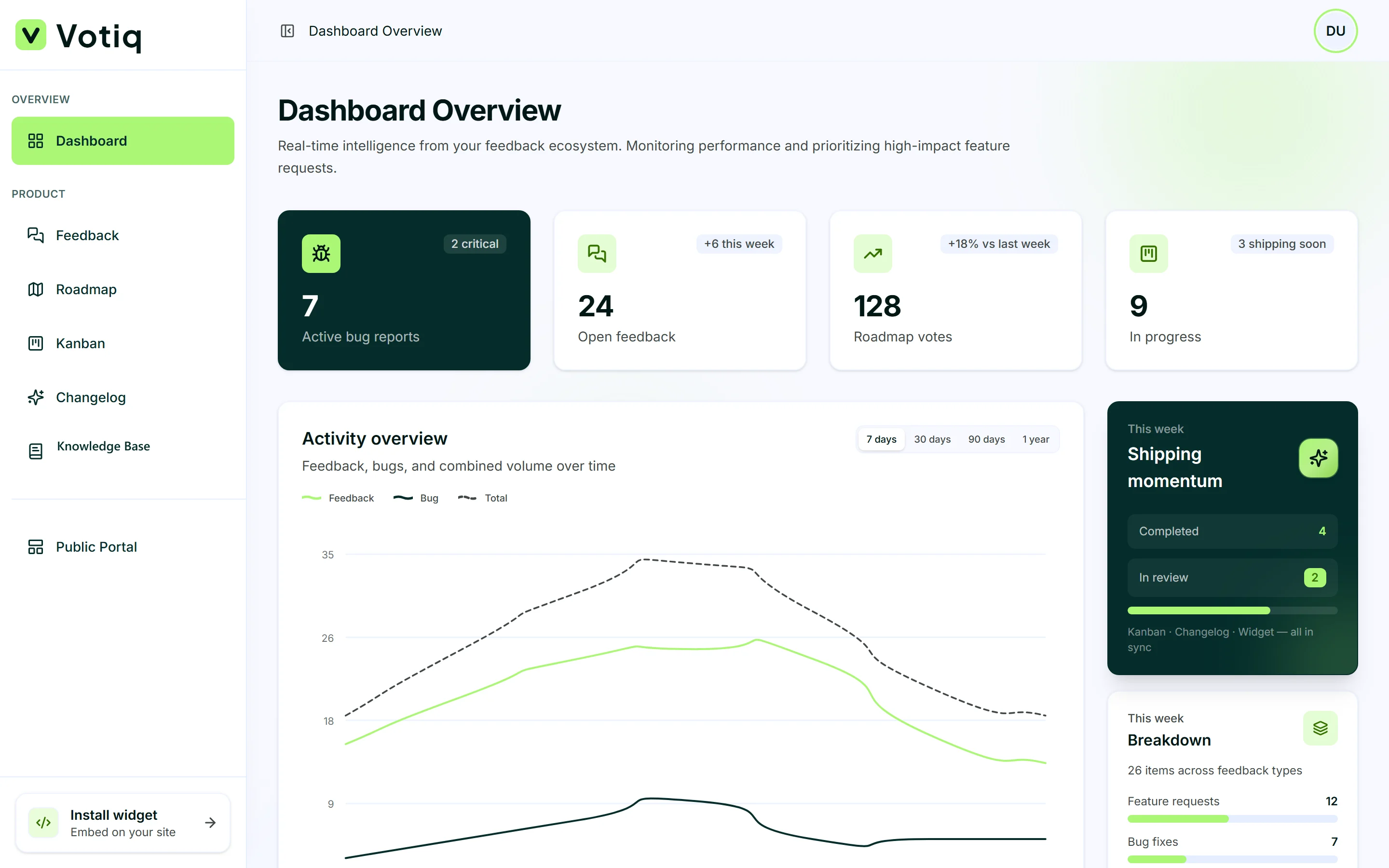
See feedback ticket management in the product
Real Votiq screens, not mockups of a different tool.
What is feedback ticket management?
Feedback ticket management is how support teams run ideas, bugs, and customer emails in one accountable queue. A strong ticket feedback workflow gives every item an owner, a status, and a next step, whether the outcome is a reply, a fix, or a roadmap item.
Without feedback ticket management, customer support feedback splits across Gmail, Slack, a help desk, and a separate feature board. With it, the same record can be tagged, assigned, voted on when it is an idea, and moved to delivery when engineering is ready.
For the daily triage rhythm, read the ticket workflow guide.
Ticket feedback workflow for support teams
A ticket feedback workflow should be boring and reliable. Capture, triage, assign, resolve, and communicate back. Support teams care about first response and clear ownership. Product teams care when the same signal should become roadmap work.
Votiq keeps both modes in one system: resolve and close support tickets, promote high-signal requests to the public product roadmap, and ship on Kanban without exporting CSVs.
Customer support feedback stays useful when categories separate bugs from ideas and when weekly triage is owned by a named role.
Customer support feedback without tool sprawl
Customer support feedback arrives as email, widget submissions, and portal votes. Treating those as separate products creates duplicate owners and lost status.
Feedback ticket management keeps intake together. Reply to email threads in the same workspace. Tag Development for bugs and Sales for pricing questions. Let product see voted ideas without asking support to forward screenshots.
When email intake is the buying intent, use the shared inbox page. When article deflection is the buying intent, use knowledge base software.
Feedback ticket management vs Zendesk, Freshdesk, and Help Scout
Zendesk, Freshdesk, and Help Scout are mature help desks for support operations: SLAs, macros, multichannel queues, and deep agent workflows. Support teams that need enterprise telephony, multi-brand portals, or heavy SLA engines should evaluate those platforms on those terms.
Votiq is feedback ticket management for product-led SaaS teams who want a ticket feedback workflow connected to roadmap and changelog, plus lightweight shared inbox intake. Choose the full help desk when support ops is the center of gravity. Choose Votiq when customer support feedback should feed product shipping without two systems.
Use the Zendesk and Freshdesk compare pages for side-by-side tables, then validate by running one week of triage with named owners.
Support product line vs feedback and roadmap pages
This page is a different product line from feature request, voting, and roadmap commercial pages. Those pages own discovery and prioritization keywords. This page owns feedback ticket management, ticket feedback workflow, and customer support feedback for support teams, with a Zendesk-class competitor set.
Link them when the story is the full loop: support captures signal, product prioritizes, engineering ships, changelog announces. Do not force Canny-style competitor framing onto this article.
A practical ticket feedback workflow
Feedback ticket management only works if someone owns triage.
Connect widget, portal, and shared inbox to one project.
Tag every item. Separate bugs from ideas on day one.
Assign a named owner. No shared “someone will look.”
Resolve support tickets with a reply. Promote product work to the roadmap and Kanban.
Publish a changelog entry and mark related items shipped.
Review SLA targets weekly using first-response timestamps.
Start with ownership and status. Add automation after the queue is clean.
Why Votiq for support teams
Choose Votiq when your support team wants feedback ticket management that doubles as a ticket feedback workflow for customer support feedback, without bolting a help desk onto a separate feedback board. Plans start from £20/mo with a 7-day trial.
Connect intake, assign owners for one week, resolve or promote every open item, and publish one changelog entry tied to a customer request. That closed loop is the proof the workflow is real.
Frequently asked questions
Quick answers about how this solution fits SaaS teams evaluating feedback and release tools.
What is feedback ticket management? +
A system support teams use to capture, assign, and resolve ideas, bugs, and customer emails in one queue, with a path to product shipping when the signal is a request.
What is a ticket feedback workflow? +
The repeatable path from intake to done: triage, owner, status, resolution or roadmap promotion, and a customer-visible update when work ships.
What is customer support feedback? +
Signal from support channels, email, widget, and portal, that includes bugs, how-to questions, and feature asks. Feedback ticket management keeps that signal accountable.
How is this different from Zendesk, Freshdesk, or Help Scout? +
Those platforms are full help desks. Votiq is lightweight feedback ticket management connected to roadmap and changelog for product-led SaaS teams that do not need enterprise ITSM.
Should I use this page or the shared inbox page? +
Stay here for feedback ticket management, ticket feedback workflow, and customer support feedback. Use the shared inbox page when the buying intent is shared inbox software, email ticket management, or email to ticket.